DataCall is Bivisor’s online service that brings computer health monitoring and backup together under one simple interface. A lightweight agent runs on each computer, reports its health to your private dashboard, and runs the backups you schedule, so you see problems before they turn into downtime or data loss.
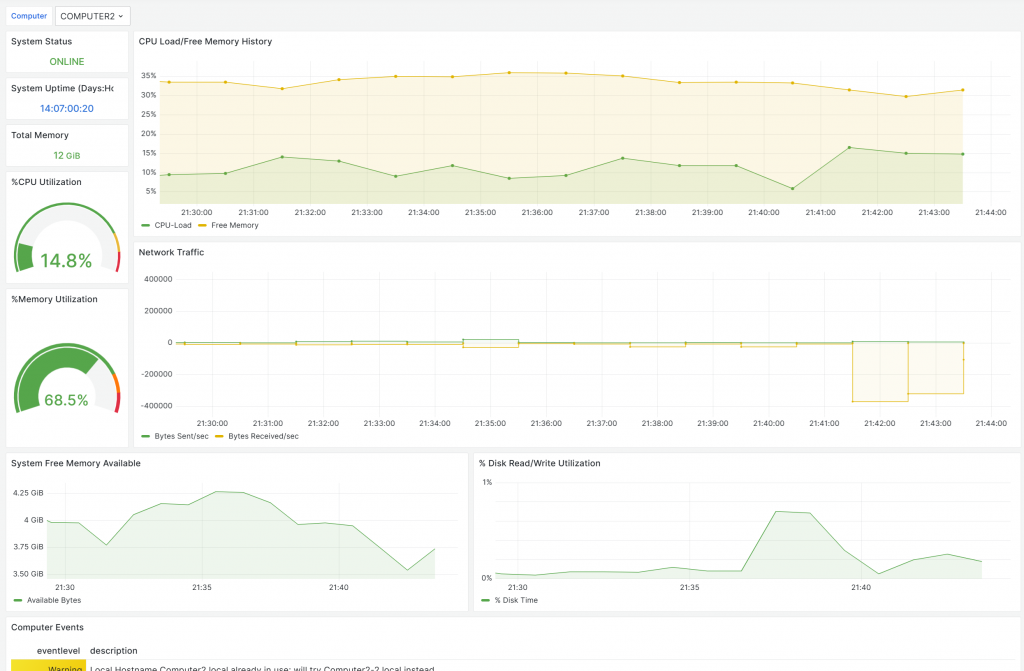
Computer health monitoring
Hardware
- Temperature, fan speed, voltage and power supply
- Early detection of hardware failures to prevent downtime
Storage
- Disk health analysis
- Disk space usage and growth
Performance
- CPU and memory usage
- GPU performance
- Help troubleshooting performance bottlenecks
Software & network
- Operating system and application status
- Network connectivity
Event logging and alerts
- System event logging and analysis
- Customizable alerts and email notifications for critical events
- Uptime and status at a glance for every registered computer
Backup and restore
Dedicated onsite and offsite/cloud backups with integrated data security.
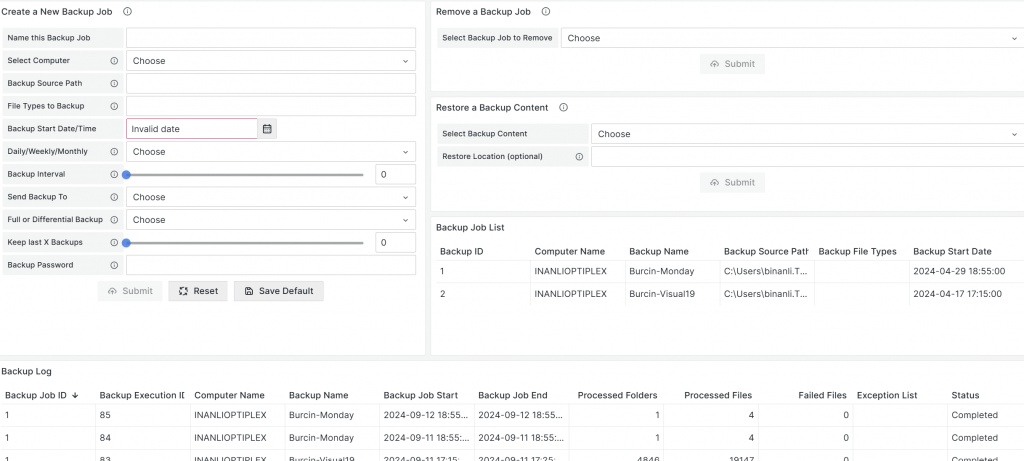
- Online dashboard showing the status of every backup and restore
- Easy backup creation and management from the web
- Partial or full backups, custom file types, backup intervals and local or remote destinations
- Simple scheduling for both backups and restores
- Backup and restore logs you can review at any time
How it works
- Sign up for a free DataCall account and confirm your email.
- Download and install the digitally signed DataCall agent on each Windows computer you want to protect.
- Open your dashboard to see health, status and uptime for every computer.
- Set up backups and alerts, and let DataCall watch your systems around the clock.
Who it is for
- Small and medium-sized businesses that want visibility into their computers without a full-time IT staff
- Home offices and professionals who need reliable backups and early warning of problems
- IT providers who look after several client sites
Frequently asked questions
Is there a free plan?
Yes. You can create a free DataCall account and start monitoring right away. Contact us if you need help with larger deployments.
Which operating systems are supported?
The DataCall agent installs on Windows computers. For mixed Windows, macOS and Linux fleets, see Helpline RMM.
Where are my backups stored?
You choose: local or network storage onsite, a remote/offsite destination, or both.
Can Bivisor manage it for me?
Yes. Our managed IT services team can install, monitor and respond to alerts on your behalf.